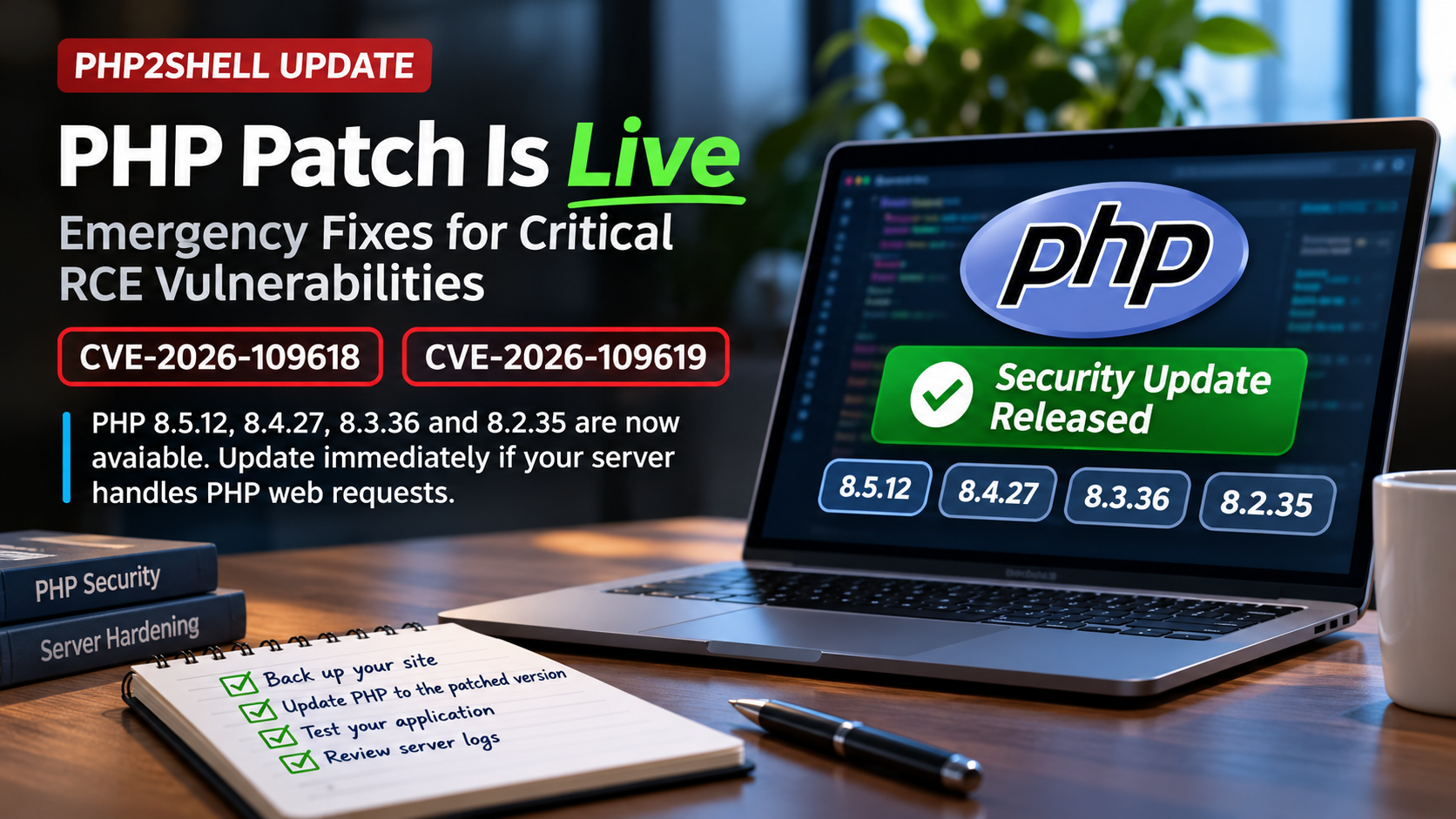
PHP has now released emergency security updates for the PHP2Shell vulnerabilities. PHP 8.5.12, 8.4.27, 8.3.36 and 8.2.35 fix two critical flaws that can allow unauthenticated remote code execution. If your server handles web requests with PHP, update immediately.
The waiting period is over.
On October 21, 2026, the PHP security team released the emergency patches promised a day earlier for CVE-2026-109618 and CVE-2026-109619, the two vulnerabilities widely discussed under the unofficial name PHP2Shell.
PHP’s final advisory also gives us something we did not have when the vulnerabilities first leaked: the official technical explanation, confirmed vulnerable attack paths, exact fixed versions and vendor-approved temporary mitigations.
And some of the early assumptions circulating before disclosure turned out to be incomplete.
PHP now confirms that the two vulnerabilities involve out-of-memory corruption and stale global state across requests. Both can ultimately result in unauthenticated remote code execution.
The fixed PHP releases are:
- PHP 8.5.12
- PHP 8.4.27
- PHP 8.3.36
- PHP 8.2.35
If you’re running one of those branches, those are now the versions you should be targeting.
PHP’s message is unusually direct:
Update now.
The official advisory says all PHP installations serving web requests are potentially at risk, including PHP-FPM, Apache mod_php, php-cgi, FrankenPHP and LiteSpeed. PHP considers the risk particularly high for mod_php. PHP
This article is the third update in my PHP2Shell coverage. If you’re catching up, start with the original PHP2Shell vulnerability warning and then the follow-up covering governments and universities taking PHP sites offline.
PHP2Shell Has Now Moved From Warning to Patch Immediately
Until today, administrators were preparing for an emergency release while relying partly on leaked information and independent security research.
That uncertainty has ended.
PHP has officially released all four supported security updates and confirmed that both vulnerabilities can lead to unauthenticated RCE.
This is important because unauthenticated means an attacker does not necessarily need:
- a WordPress account
- an administrator password
- an authenticated PHP session
- application-level privileges
- access to wp-admin
- an existing foothold on the server
The vulnerable behavior can occur at the PHP runtime level.
That is why updating WordPress itself is not sufficient.
Updating WooCommerce is not sufficient.
Updating Laravel, Magento, Drupal or Joomla is not sufficient.
The PHP runtime must be updated.
Anyone responsible for WordPress development or server-backed web applications should therefore treat this as an infrastructure update rather than a CMS update.
The Official Fixed PHP Versions
PHP has now confirmed the following patched versions:
| PHP Branch | Patched Version |
|---|---|
| PHP 8.5 | 8.5.12 |
| PHP 8.4 | 8.4.27 |
| PHP 8.3 | 8.3.36 |
| PHP 8.2 | 8.2.35 |
PHP says users of every supported branch should upgrade immediately. PHP
This also confirms the projected version numbers that were circulating before the coordinated disclosure.
The PHP team is clear that there are no complete mitigations.
Configuration changes can reduce exposure to known attack paths, but upgrading is the only complete solution currently recommended by PHP. PHP
If you manage multiple domains, add PHP version auditing to your normal technical SEO and website maintenance routine. Server software should be inventoried just as carefully as URLs, redirects and indexing problems.
CVE-2026-109618: RCE Through Out-of-Memory Corruption
The first vulnerability is now officially described as:
CVE-2026-109618: RCE via OOM corruption
OOM stands for out of memory.
According to PHP, the vulnerability occurs because PHP’s out-of-memory handling can interrupt processing while internal request data is only partially initialized.
PHP later begins cleaning up the interrupted request.
The problem is that the cleanup process can interpret that partially initialized or invalid data as if it were legitimate.
That can produce memory corruption and ultimately create a path toward arbitrary code execution. PHP
This is significantly more specific than some of the speculation circulating before PHP released the patch.
The vulnerability is not simply “PHP file uploads are broken.”
It involves the internal lifecycle of PHP request data when memory allocation fails at exactly the wrong point.
That also explains some of PHP’s temporary mitigation advice.
CVE-2026-109619: RCE Through Stale Global State
The second vulnerability is:
CVE-2026-109619: RCE via stale global state
PHP describes this as a situation where internal state belonging to one request can remain available after the memory backing it has already been freed.
A later request processed by the same PHP worker may encounter this stale state before PHP’s normal request initialization has reset it.
That creates a use-after-free-like scenario in which a subsequent request can interact with data that should no longer be valid. PHP
This also explains why long-running PHP workers matter.
Technologies such as PHP-FPM and Apache can process multiple requests within persistent worker processes.
If internal state unexpectedly survives from one request to another, what should be an isolated request can influence the next one.
For anyone building custom web tools, this is a good reminder that security boundaries do not end at application code. Runtime behavior matters too.
Apache mod_php Is Considered the Highest Risk
One of the most important additions in the final PHP advisory concerns Apache with mod_php.
PHP states that all PHP installations handling web traffic are potentially at risk, including:
- PHP-FPM
- Apache with
mod_php php-cgi- FrankenPHP
- LiteSpeed
But the security team considers the risk highest for mod_php.
Why?
Because PHP says a demonstrated attack against mod_php can be triggered through an unauthenticated request before application code even begins executing. PHP
That is a critical distinction.
If the vulnerability triggers before WordPress, Laravel or another framework begins processing the request, application-level security controls may never get a chance to intervene.
WordPress security plugins are therefore not a substitute for patching PHP.
Neither are login protections, CAPTCHA systems or application firewalls operating after PHP has already started parsing the request.
What Happened to the Earlier session.upload_progress Theory?
Before the official advisory, much of the security discussion focused heavily on PHP’s:
session.upload_progress
functionality.
That wasn’t entirely wrong.
PHP’s final mitigation guidance confirms that session upload progress is involved in a confirmed attack path for CVE-2026-109619.
PHP specifically recommends temporarily setting:
session.upload_progress.enabled=0
for administrators who cannot immediately update.
However, PHP also explicitly says this mitigation blocks confirmed session-related paths but does not block every possible variant. PHP
That distinction is important.
Disabling session upload progress is not “the PHP2Shell fix.”
It is only a temporary risk-reduction measure.
The actual fix is upgrading PHP.
This is why I generally recommend treating rapidly developing security stories differently from ordinary content SEO topics. Early technical reports can change substantially once maintainers publish the actual patch.
Temporary Mitigation for CVE-2026-109618
PHP has now provided official mitigation guidance for administrators who genuinely cannot patch immediately.
Again, PHP stresses that these measures do not make the installation safe.
For the OOM corruption vulnerability, PHP recommends considering several measures.
Set memory_limit to -1
PHP recommends:
memory_limit=-1
Preferably, configure it somewhere the PHP application itself cannot override it.
For example:
php_admin_valuein the PHP-FPM pool- Apache server configuration
You should also verify that no pool, directory or application configuration restores a finite memory limit.
The reasoning is that removing the controllable PHP memory-limit failure prevents one known way of reaching the vulnerable out-of-memory condition.
However, PHP warns that an underlying system allocation failure could still trigger the vulnerable behavior. PHP
So again, this reduces risk.
It does not eliminate it.
Reduce post_max_size
PHP also recommends lowering:
post_max_size
For applications that do not require file uploads, PHP suggests:
post_max_size = 8M
If file uploads are necessary:
post_max_size = 32M
PHP additionally recommends keeping:
upload_max_filesize
below post_max_size. PHP
Administrators should also consider request limits at the web-server or reverse-proxy level.
Potential limits include:
- decoded request size
- input-field count
- multipart part count
- HTTP header count
- nesting depth
Those protections also need to cover requests where a usable Content-Length header is missing.
If you’re maintaining dozens of installations, keep an accurate inventory. A Sitemap URL Extractor can help inventory public-facing URLs, while infrastructure inventory should separately record servers, PHP versions and hosting environments.
Container Limits Can Help, But PHP Warns Against Some Alternatives
PHP also recommends using a container or cgroup memory limit as an availability boundary.
Ideally, your policy should kill only the affected PHP worker rather than bringing down the entire application.
However, PHP specifically warns administrators not to substitute RLIMIT_AS or RLIMIT_DATA.
Those limits can themselves create the memory allocation failure required to reach the vulnerable path. PHP
That is exactly why copying random mitigation snippets from social media can be dangerous.
A seemingly reasonable memory-control measure can actually interact with the vulnerable condition.
Temporary Mitigation for CVE-2026-109619
PHP provides a separate mitigation set for the stale-global-state vulnerability.
First:
session.upload_progress.enabled=0
Then restart every PHP worker.
The configuration needs to be applied before request parsing begins.
PHP recommends configuring it through:
php.ini- the PHP-FPM pool
- server configuration
PHP explicitly says not to rely on ini_set() or an FPM .user.ini file for this mitigation. PHP
Why?
Because those mechanisms may operate too late in the request lifecycle.
This is the kind of infrastructure detail that ordinary website audits won’t reveal, so site owners relying entirely on WordPress dashboards should check their hosting environment separately.
PHP 8.5 Users Should Disable Fatal Error Backtraces Temporarily
There is an additional mitigation specifically for PHP 8.5.
Set:
fatal_error_backtraces=0
and restart all workers.
PHP says this blocks the confirmed fatal-backtrace attack path, but again warns that it does not eliminate all possible routes to exploitation. PHP
Administrators should also remove invalid or deprecated settings applied per request if those settings generate diagnostics before PHP has completed initialization.
Simply hiding those diagnostics does not solve the problem.
PHP specifically says using:
error_reportingdisplay_errors@
does not prevent the vulnerable condition.
The underlying error must be eliminated rather than hidden.
Fix Fatal Errors and Timeouts Attackers Can Trigger
PHP also recommends fixing any fatal errors or execution timeouts that an attacker can intentionally cause.
That includes failures occurring during:
- callbacks
- file uploads
- data imports
- processing
- cleanup operations
A site that “usually works” can still contain edge cases deliberately reachable through crafted requests.
For site owners handling large publishing environments, this belongs beside ordinary maintenance such as URL cleanup, broken-link monitoring and server logging.
PHP 8.1 and Older Are a Special Problem
This is where administrators running old PHP versions need to pay particularly close attention.
The PHP project says:
PHP 8.1 and older no longer receive normal updates from PHP. PHP
That includes:
- PHP 8.1
- PHP 8.0
- PHP 7.x
- PHP 5.x
Some Linux distributions and long-term-support vendors may issue their own backported security fixes.
If your server receives PHP through such a vendor, check the package repository rather than looking only at the displayed PHP version number.
For example, some distributions keep an older upstream version while backporting security fixes into their own package.
The important question is therefore not simply:
Am I running PHP 8.1?
It is:
Has my distribution or LTS vendor patched CVE-2026-109618 and CVE-2026-109619?
If you cannot confirm that, upgrade.
This should become part of the infrastructure checklist for anyone providing SEO consulting alongside website management.
PHP Has Made Unusual Backports Available
Because of the severity of the vulnerabilities, the PHP security team took an unusual additional step.
It produced minimal source backports for:
- PHP 7.4
- PHP 8.0
- PHP 8.1
These are intended primarily for administrators building PHP themselves or users who do not have access to an LTS vendor package. PHP
This does not mean those PHP branches have returned to normal support.
They remain end-of-life.
The backports are an emergency response to this specific incident.
The long-term solution is still migration to a supported PHP branch.
Remi Repository Users Get a Specific Warning
The advisory also contains a specific notice for users of the volunteer-maintained:
rpms.remirepo.net
PHP recommends switching temporarily to distribution-provided packages or building from source because the repository will not have today’s emergency updates immediately. PHP
If your organization relies on Remi packages, do not assume the newest vulnerable package shown in your repository means no patch exists.
Check how your PHP packages are sourced.
Linux Vendors Already Had the Fixes
PHP says Linux distributions and LTS vendors received the patches in advance.
That means package updates may already be available through your operating system’s repositories.
Depending on the distribution, the update process might look like a normal package upgrade rather than manually installing PHP from php.net.
Check your vendor’s security advisories and package manager.
For shared and managed hosting customers, ask the provider directly:
Have you patched CVE-2026-109618 and CVE-2026-109619?
Do not ask only:
What PHP version am I running?
The first question is much more useful.
PHP 8.2 Has Another Deadline Coming
PHP’s announcement also includes an important reminder for users running PHP 8.2.
PHP 8.2 reaches end of life on December 31, 2026.
After that date, the branch will no longer receive PHP security fixes. PHP
So even if you update to PHP 8.2.35 today, you should already be planning the move to PHP 8.3, 8.4 or 8.5.
This is particularly important for businesses maintaining large portfolios of WordPress sites or automated business systems.
Don’t wait for the next zero-day to discover that half the portfolio depends on abandoned software.
What WordPress Site Owners Should Do Now
If you operate WordPress, the practical checklist is straightforward.
First, take a full backup.
Then check the PHP version in your hosting dashboard.
If the host offers one of the patched branches, move to:
- PHP 8.5.12
- PHP 8.4.27
- PHP 8.3.36
- PHP 8.2.35
Test:
- homepage
- wp-admin
- Elementor
- contact forms
- ecommerce
- payment gateways
- media uploads
- custom plugins
- scheduled tasks
- APIs
If your hosting company controls PHP updates centrally, verify that the security patches have actually been deployed.
Afterward, review:
- server access logs
- recently modified PHP files
- new WordPress administrators
- unexpected cron jobs
- outbound traffic
- WAF warnings
If suspicious pages appear in Google’s index after an incident, use normal internal linking and indexing diagnostics only after confirming that the server itself is clean.
Security comes first.
SEO cleanup comes second.
Do Not Assume Updating Means You Were Never Exposed
One final point deserves emphasis.
Installing the patched PHP release prevents future exploitation through the fixed vulnerabilities.
It does not automatically prove the server was uncompromised before the update.
If your application was publicly accessible while running a vulnerable PHP release, review logs covering the disclosure window.
Look for anomalous traffic, crashes, unusual POST activity, unexpected processes and changed files.
For high-value or sensitive systems, consider a dedicated compromise assessment.
Then return to the normal website work, including your SEO tools and website content.
The PHP2Shell Story Has Changed Again
Twenty-four hours ago, the most important message was:
Prepare to patch.
Now it is:
Patch.
PHP has released the fixes.
The CVE numbers are confirmed.
The technical causes are documented.
The temporary mitigations are documented.
And PHP has explicitly stated that updating is the only complete solution.
This is no longer a situation where administrators need to wait for clarity.
If your PHP installation serves web requests, determine whether your branch has received the fix and apply it.
For anyone maintaining a portfolio of sites, use this incident as a reason to improve your ongoing technical website maintenance instead of treating PHP upgrades as emergency-only work.
The race that security researchers warned about has now started.
Defenders have the patch.
Attackers can now study it too.
Official PHP security advisory
For the authoritative technical guidance, patched releases and updated mitigation information, follow the official PHP security advisory for CVE-2026-109618 and CVE-2026-109619. PHP confirms the four fixed releases, affected web-serving configurations, technical root causes and temporary mitigations described above. PHP